
Fantasy Premier League rankings typically update slowly and after the majority of games have played each day, so the Live Rank widget provides a way to find your new rank early, whether that’s during games after one of your players has a returned or at full time. To check your rank all you need is your Team ID.
How to find your FPL Team ID.
- You need to be logged in to the FPL site using a browser (mobile or PC is fine, but not the app)
- Go to Points:
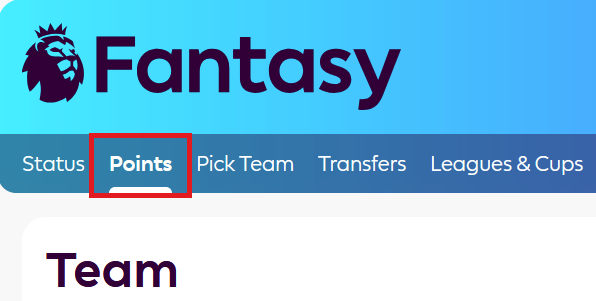
- In the URL you’ll see https://fantasy.premierleague.com/entry/12345/event/1

- Your ID is the numbers that come after /entry/ and before /event/ e.g. 12345 in this example
Enter your ID in the live rank widget and you will instantly receive your new rank.
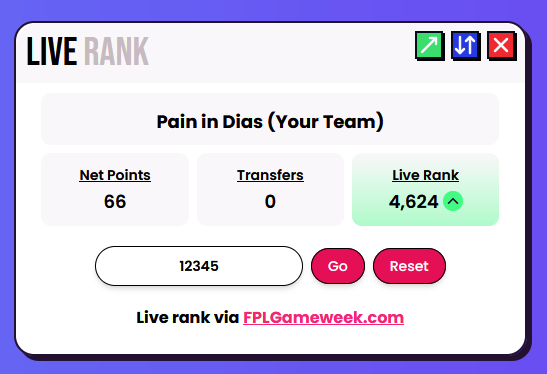
Your ID does not change over the season, only each season it renews. Our live rankings widget includes things such as bonus points, defensive contributions and clean sheets as they are obtained during games.
Go to https://fpl.page/rank to check your live rank.